

What is a Skill?
A Skill is a named, reusable instruction set — conceptually close to Anthropic’s Agent Skills. Each Skill has three fields:
Shanone itself never executes a Skill. The Skill Vendor is a storage-and-retrieval layer: your agent lists and reads Skills through MCP, then follows the
instructions in its own context, calling shanone_execute_tool (or anything else it needs) along the way. This keeps Skills portable across whatever agent happens to be reading them — Cursor today, Claude Code tomorrow, on a different laptop next week.
Skills are stored server-side (Shanone’s Skill Vendor backend), not in a local file. Save one once and it’s available everywhere your account connects. They’re per-user, not shared across a team — see Permissions & Access Control for how access to Shanone as a whole is managed.
Why Skills exist
Stop repeating yourself
Give the same multi-step instructions once, save them, and reference them by name afterward
Portable across agents
A Skill created from Cursor is immediately readable from Claude Code, or any other MCP client on your account
Progressive disclosure
Listing Skills only returns lightweight metadata (
name + summary) — full instructions are fetched only when a Skill is actually opened, keeping token usage lowShared with the web dashboard
Skills you create via MCP also appear under Skills in the Shanone web UI, and vice versa
The Skill Vendor tools
query in shanone_list_skills is a simple, case-insensitive substring match against name and summary only — it doesn’t search inside instructions, and there’s no semantic/embedding search. Use short, exact keywords from the Skill’s title rather than a vague description./api/v1/skills (POST/GET for listing and creating, GET/PUT/DELETE on /api/v1/skills/{skill_id} for a single Skill) — the MCP tools are a thin wrapper around it.
Recommended workflow
1
Check first
Before starting a non-trivial task, call
shanone_list_skills (optionally with a query filter) to see if the workflow already exists.2
Read it
If a match exists, call
shanone_get_skill with its skill_id to get the full instructions.3
Follow it
Your agent executes the steps itself in its own context — using
shanone_search_tools / shanone_execute_tool for any integration actions the instructions call for.4
Save new workflows
Once you’ve done something worth reusing, call
shanone_create_skill so it’s available next time, from any agent.Example
Managing Skills from the dashboard
Everything you can do over MCP is also available under Skills in the Shanone web dashboard — useful for writing longer instructions by hand, or just reviewing what your agents have saved on your behalf.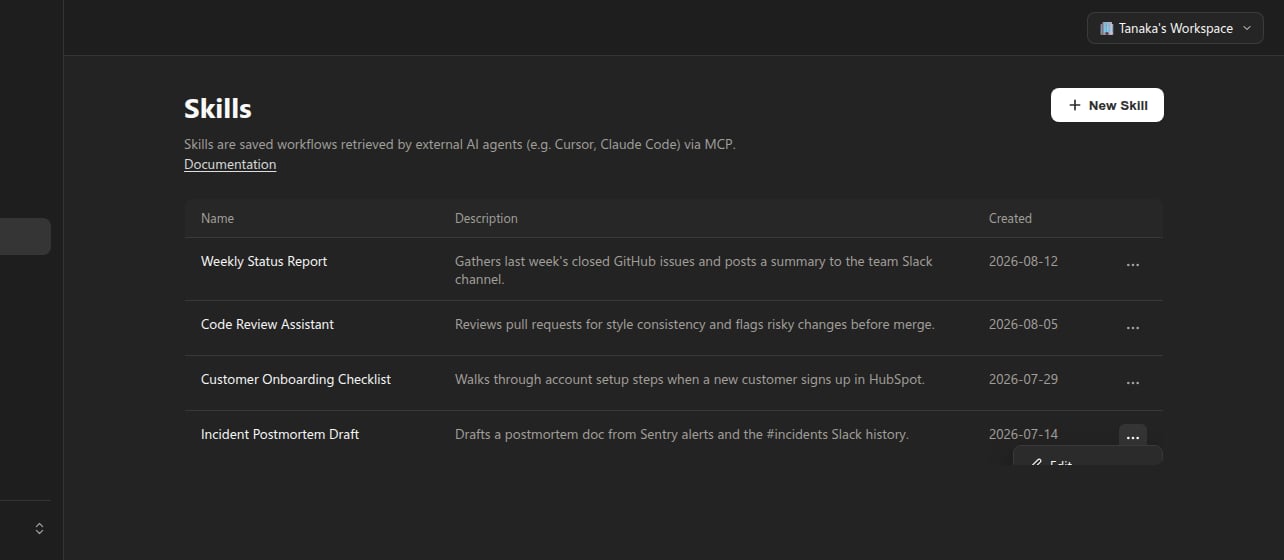
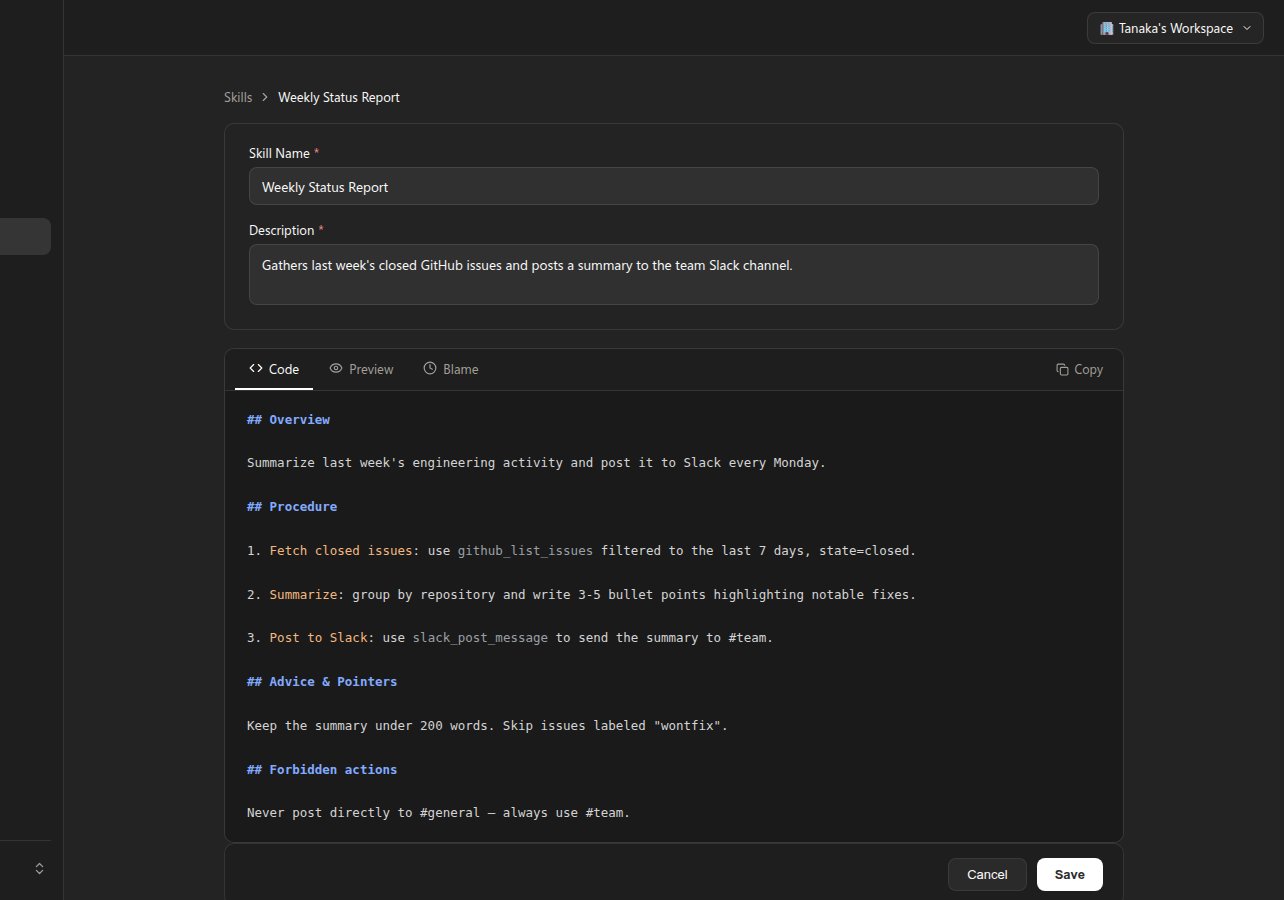
## Overview / ## Procedure / ## Advice & Pointers / ## Forbidden actions) as a starting structure — you’re free to deviate from it.
Change history (Blame)
Every time a Skill’s body is updated, Shanone keeps a full snapshot of the previous version internally. The Blame tab turns that history into a line-by-line view, similar togit blame: each block of lines shows who last touched it and when, color-coded from grey (older) to orange (most recently changed).
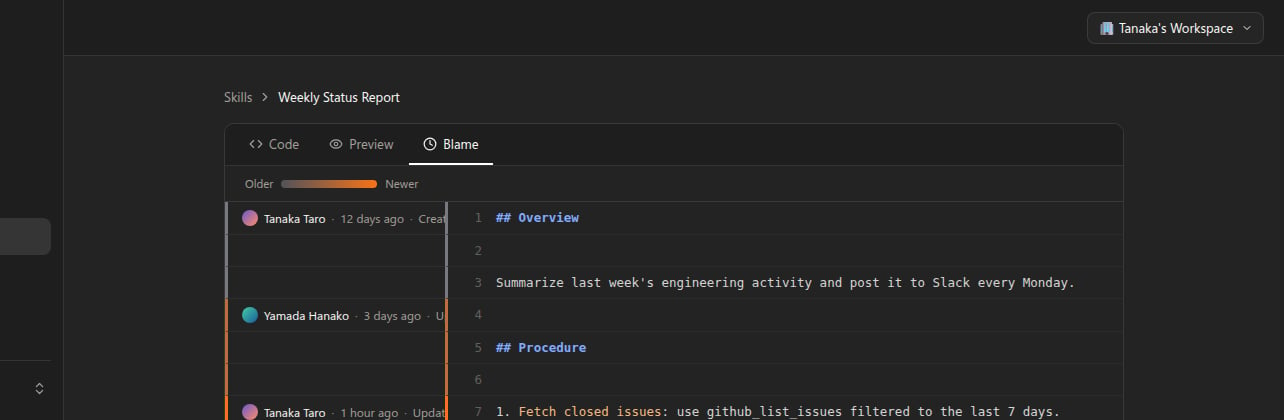
Blame is read-only. There’s currently no button to restore an older version from this view — if you need to revert a change, copy the relevant text back into the Code tab yourself.
Versioning
Everyshanone_update_skill call increments the Skill’s version counter, and Shanone records the full previous snapshot (that’s what powers the Blame view above). There’s no user-facing rollback API, though — treat shanone_update_skill as a full replacement of whichever fields you pass, and keep your own copy of anything you might want to revert to outside of what Blame lets you inspect.
Next steps
Tools Reference
Full parameters and example requests/responses for every Skill Vendor tool
Permissions & Access Control
Skills are per-user today — see how tool/service access is controlled per team member